Invite your team
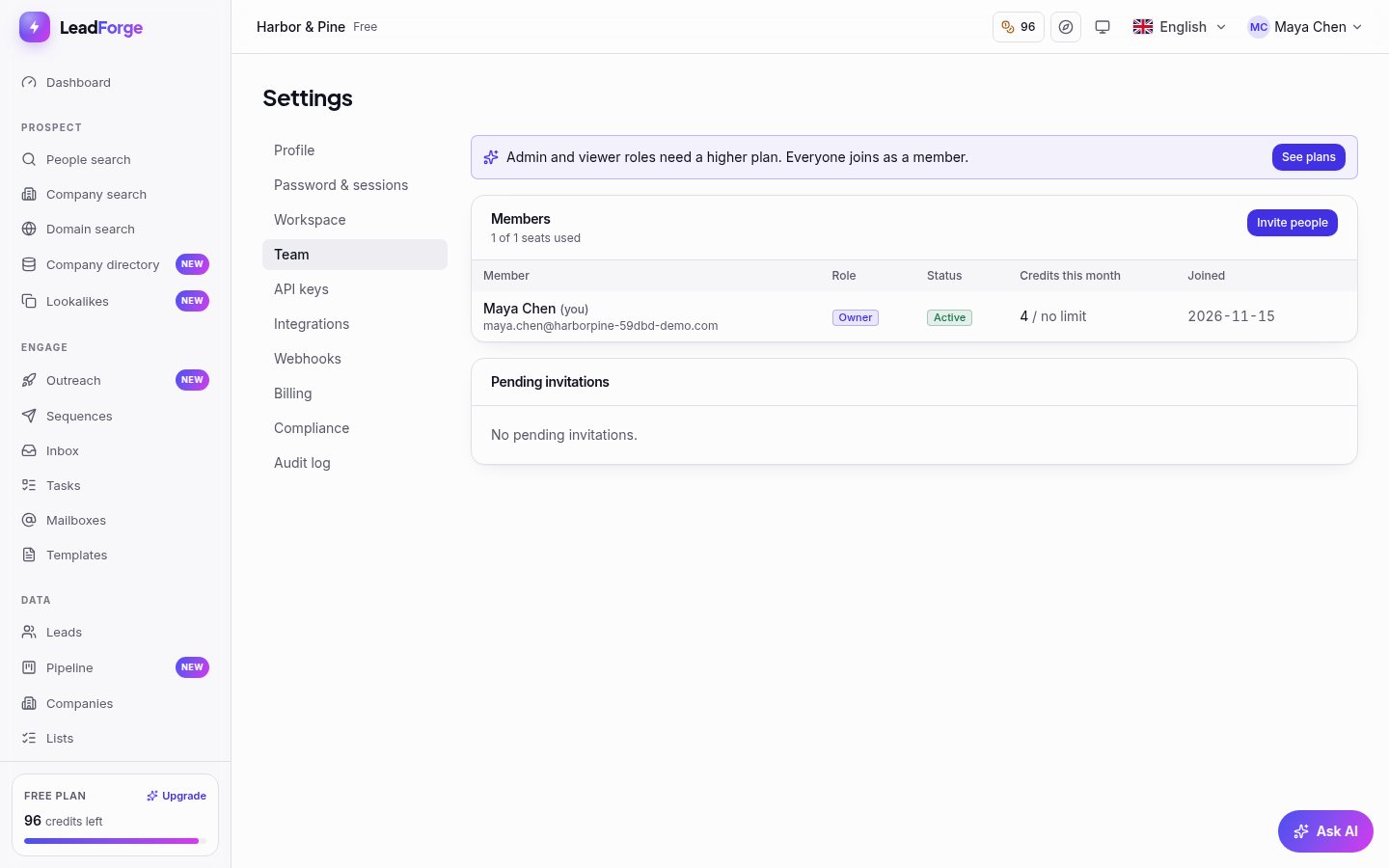
- 1Owners and admins open Settings, then Team, and choose Invite.
- 2Enter the email and a role. The person receives a link valid for seven days.
- 3Every active member and every open invitation uses a seat.
| What you can do | Viewer | Member | Admin | Owner |
|---|---|---|---|---|
| See data and balance | Yes | Yes | Yes | Yes |
| Create and edit leads, enrich, verify, export | Yes | Yes | Yes | |
| Invite members, API keys, webhooks, billing | Yes | Yes | ||
| Delete the workspace, transfer ownership | Yes |
Account security and zero-leak protection
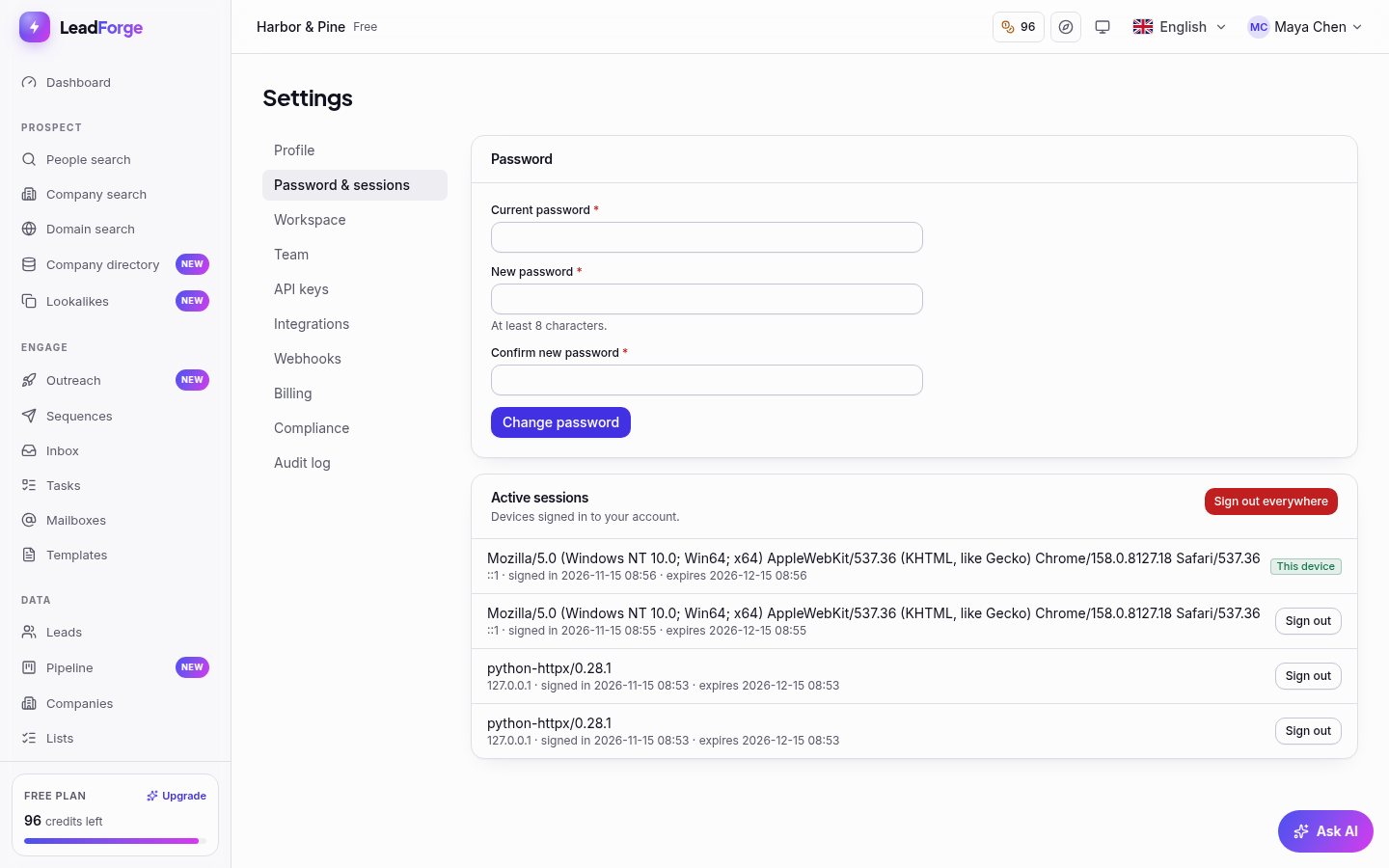
- See every signed-in device and sign any of them out.
- Changing your password signs out your other devices.
- Session tokens stay in httpOnly cookies and are cryptographically bound to your browser fingerprint (fgp claim and lg_fp cookie). Stolen tokens or cookies cannot be used in Postman, curl or another browser.
- All requests are verified by the frontend BFF HMAC gateway, preventing direct external API calls.
- The audit log (Growth and above) records sign-ins, role changes, API keys and billing changes.
Opt-outs and do-not-contact
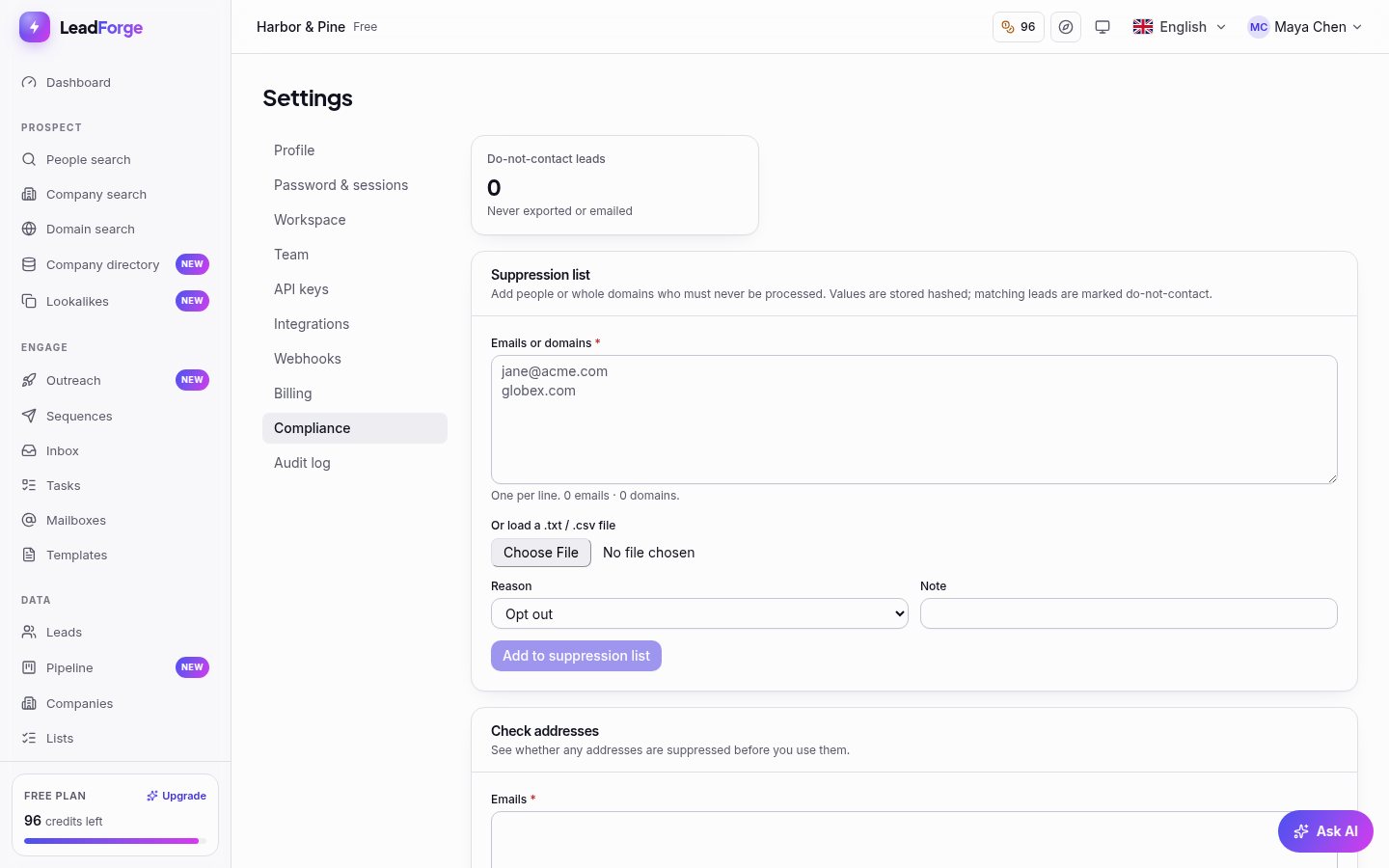
- Anyone who opts out is stored as a hash and honoured in every workspace.
- Suppressed and do-not-contact people are skipped by import, enrichment, export and sequences.
- Upload your own opt-out list and check any address against the suppression list.
Privacy, visitor intelligence and cookies
- People can ask for access, erasure or an opt-out on the Privacy requests page. We verify the request by email and apply it across every workspace.
- Visitor geolocation, network ASN company inference and identified visitor contact info are captured in the control plane and synced to the Common Directory while respecting suppression rules.
- The cookie banner lets you reject everything optional. You can change your choice at any time from the footer link.
- We honour Global Privacy Control and Do Not Track for optional tracking.