How credits work
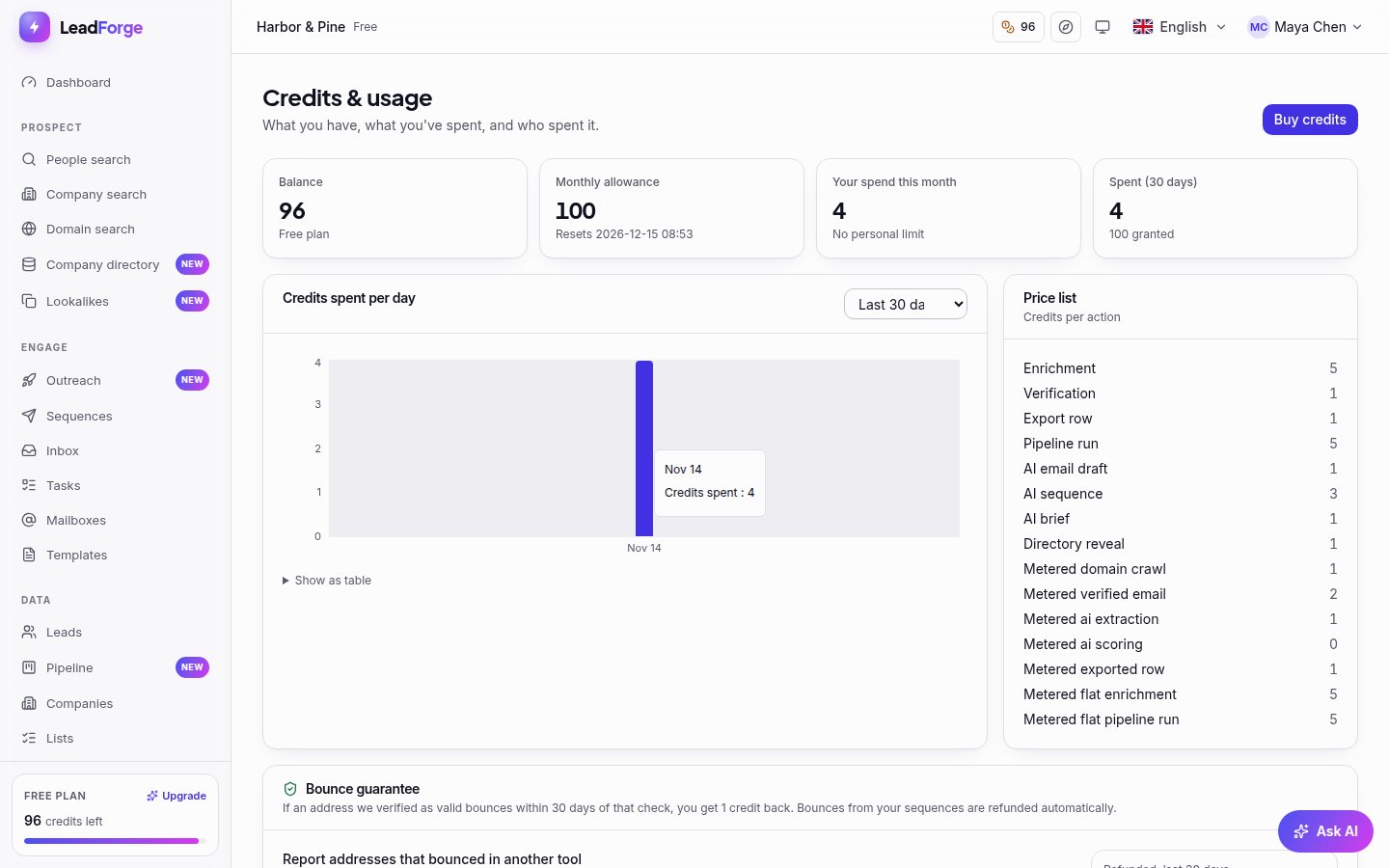
Credits belong to the workspace and everyone spends from the same balance. The history records who spent what. Owners and admins can cap an individual member's monthly spend.
| Action | Credits |
|---|---|
| Reveal / add a company or lead from the Common Directory | 1 per new record |
| Enrich a company, pay per result | 1 to read + 1 if people found + 2 per email checked |
| Enrich a company, quick | 5 (refunded if no people found) |
| Bulk enrich | 5 per company |
| Import with enrichment | 5 per distinct company |
| Verify an email (7-stage + toxicity score) | 1 (free if checked in the last 24 h or unknown) |
| Find an email | 1 if found, free if not |
| Export leads | 1 per row received |
| AI account brief | 1, only when written |
| Search, scoring, lists, saved searches, editing | Free |
Rules you can rely on
- Nothing found, nothing charged for the email finder and for failed pay-per-result enrichment.
- Failed and cancelled jobs are refunded automatically and the refund shows in your history.
- The same request twice is charged once.
- You can never go below zero. If you do not have enough you see how many are needed and available.
Plans and billing
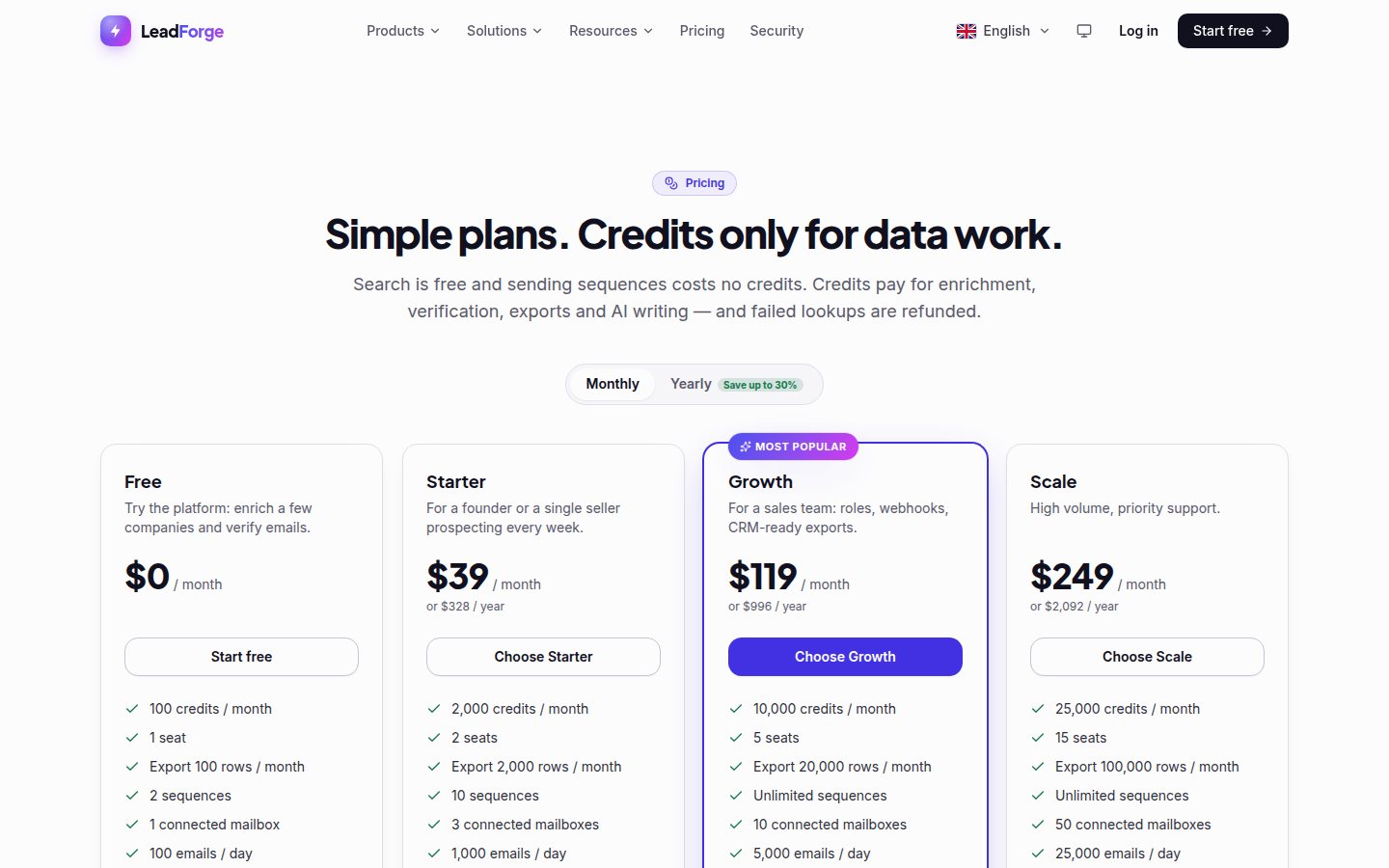
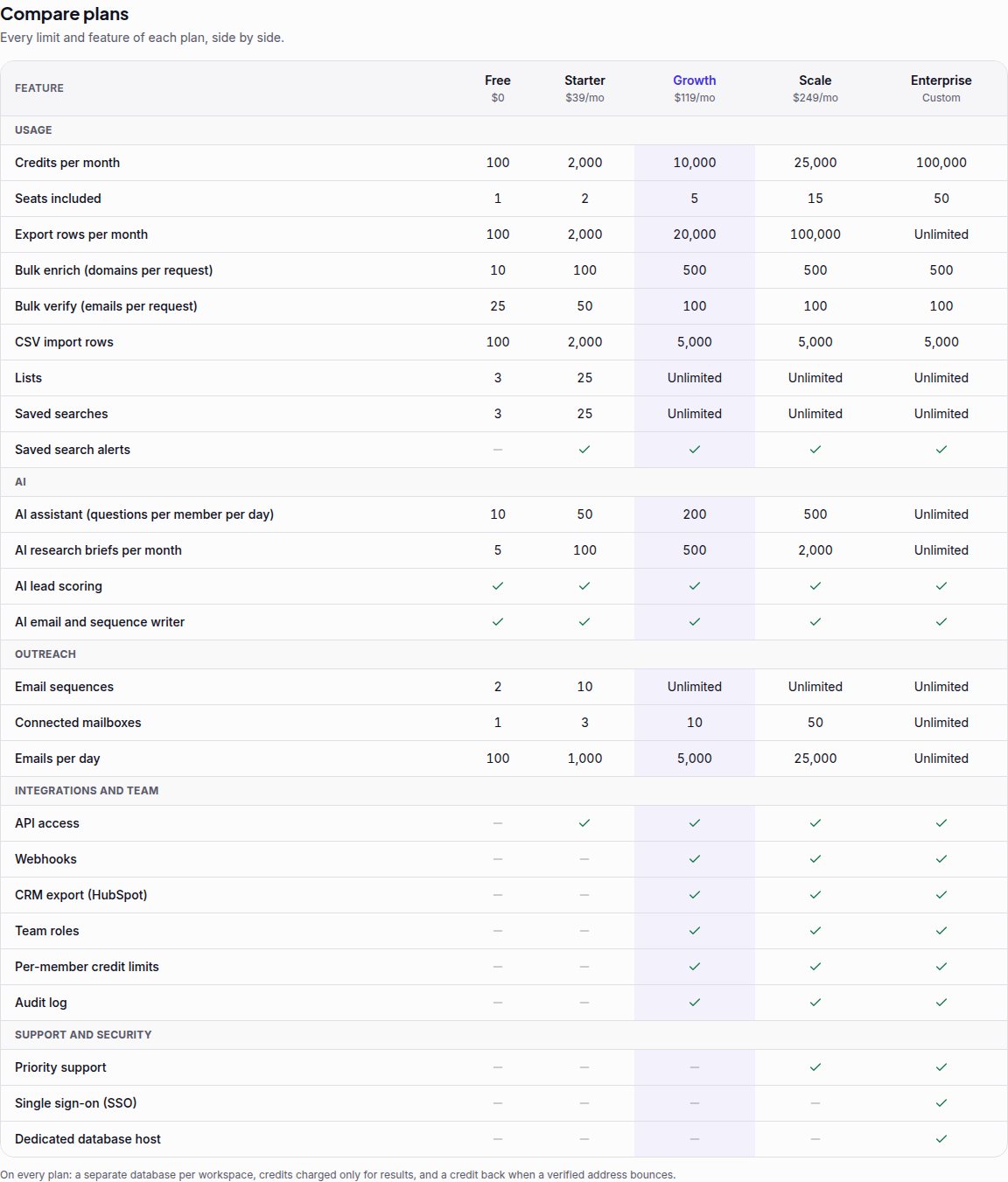
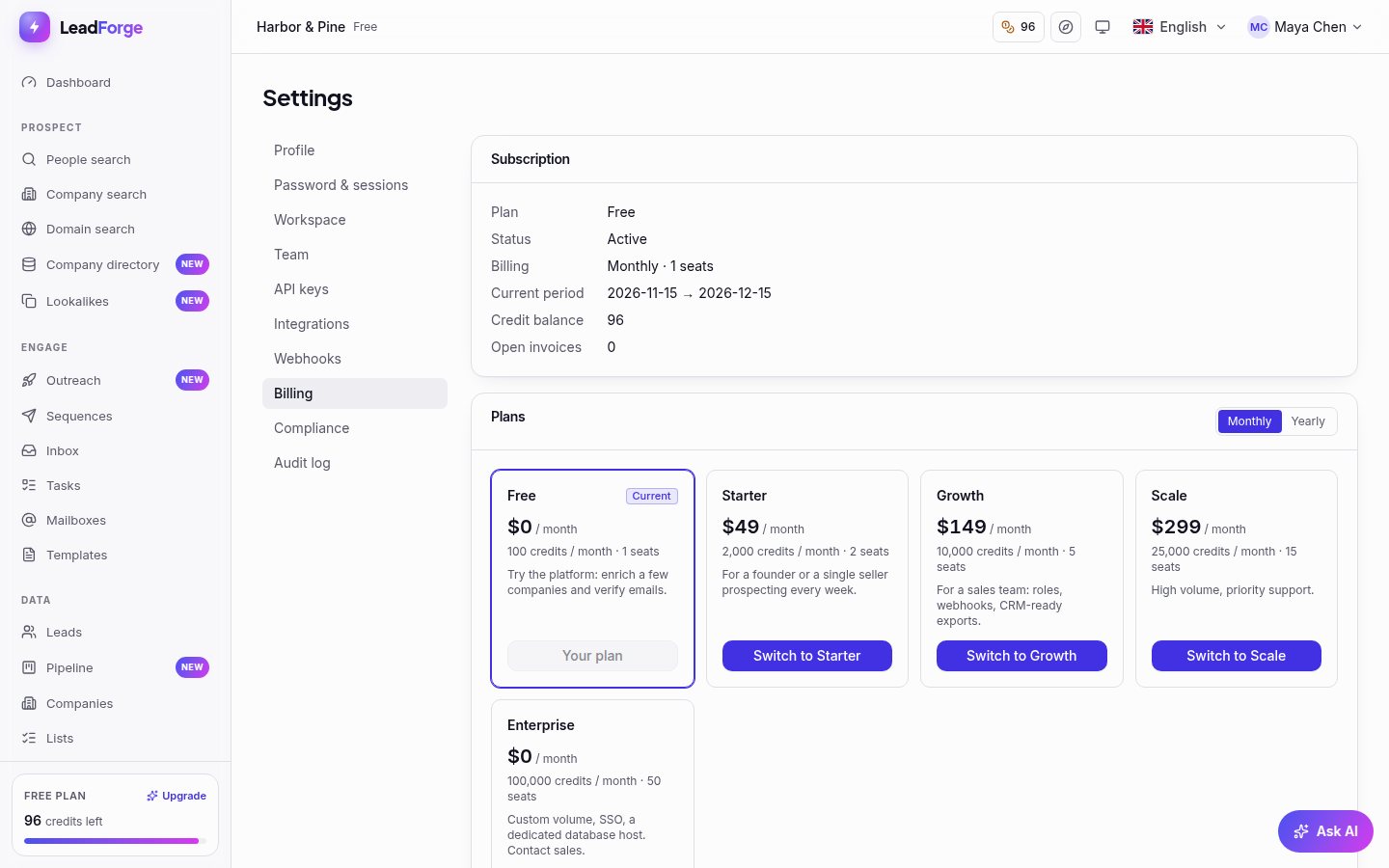
Open Settings, then Billing to change plan, buy a credit pack, manage cards or cancel. Paid plans top your balance up each month to the plan's quota. Upgrading grants the difference immediately.