The leads table
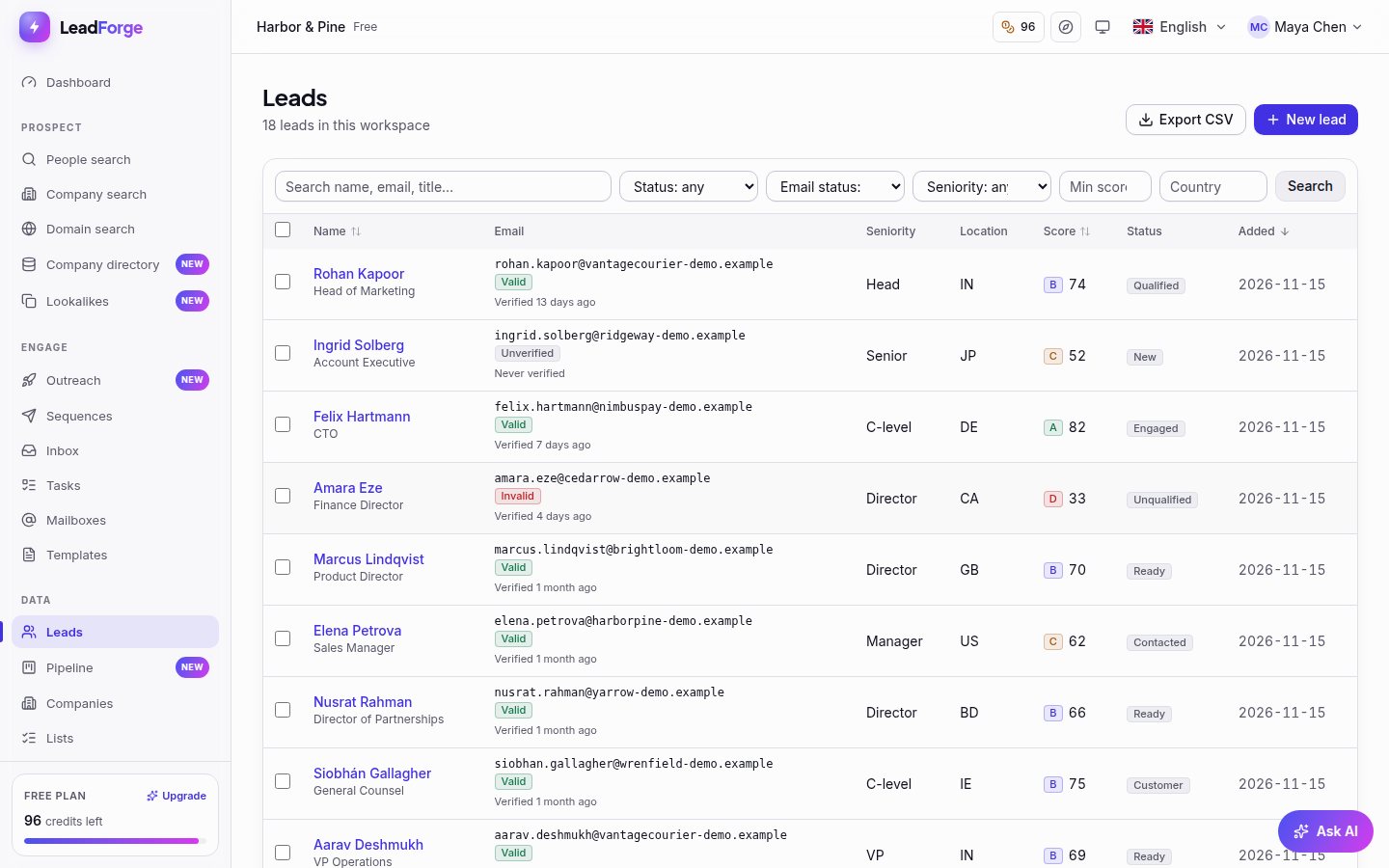
- Edit fields, tags and notes. Changing an email resets its verification to unverified.
- Set a pipeline status: new, ready, contacted, engaged, qualified, customer, unqualified, do not contact or archived.
- Mark Do not contact and the person disappears from searches, exports and sequences.
- Re-score instantly and free, or verify the email.
- Delete (owners and admins).
Companies
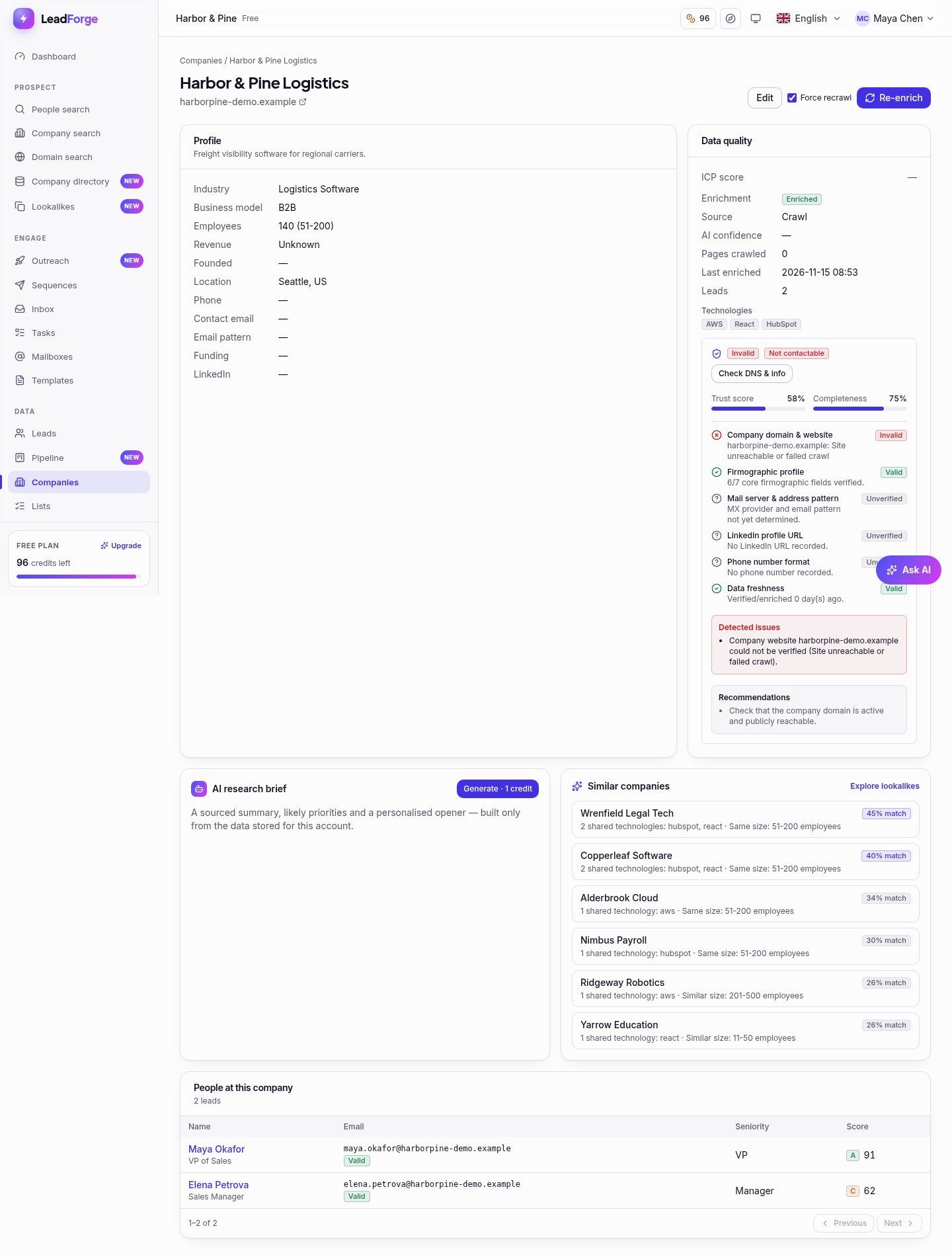
A company page shows the profile, its people, the email pattern and an AI account brief. The brief is a short summary, key facts with their sources, likely priorities and an opening line. It costs 1 credit and is charged only when it is written.
Scores and grades
| Grade | Score |
|---|---|
| A | 80 and above |
| B | 65 to 79 |
| C | 45 to 64 |
| D | Below 45 |
A score combines fixed rules (seniority, company size, industry, email quality) with an optional AI assessment when you describe your ideal customer. It lists the reasons and any disqualifiers. Scores refresh daily for people whose score is older than 30 days.
Lists
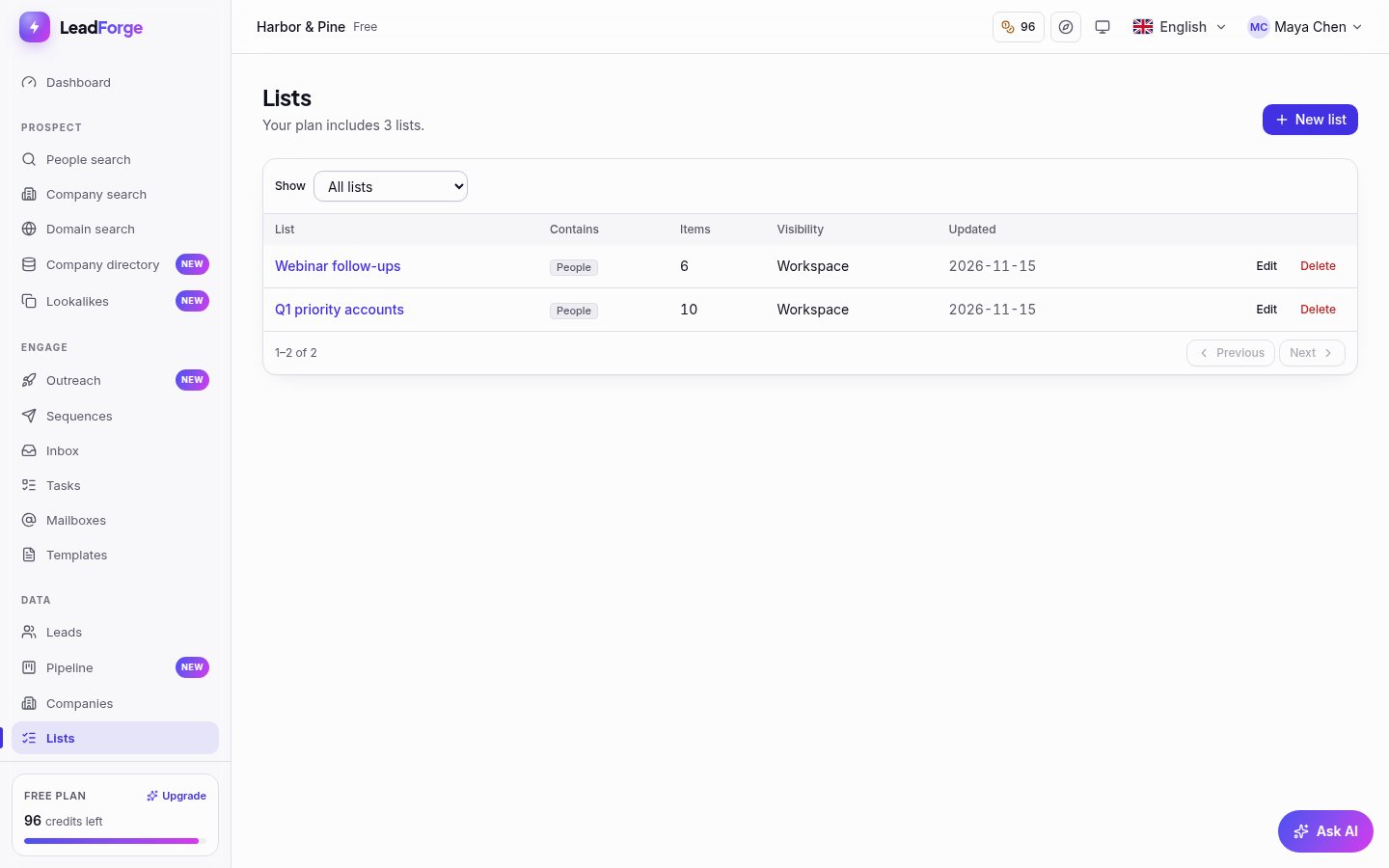
- Create people lists or company lists with a name, description and colour. They are shared with the workspace by default.
- Add or remove up to 1,000 items at a time. Deleting a list keeps the people and companies in it.
- Download a people list as CSV: no credits, but rows count toward your monthly export allowance.
- Lists per plan: Free 3, Starter 25, Growth and above unlimited.
Pipeline board
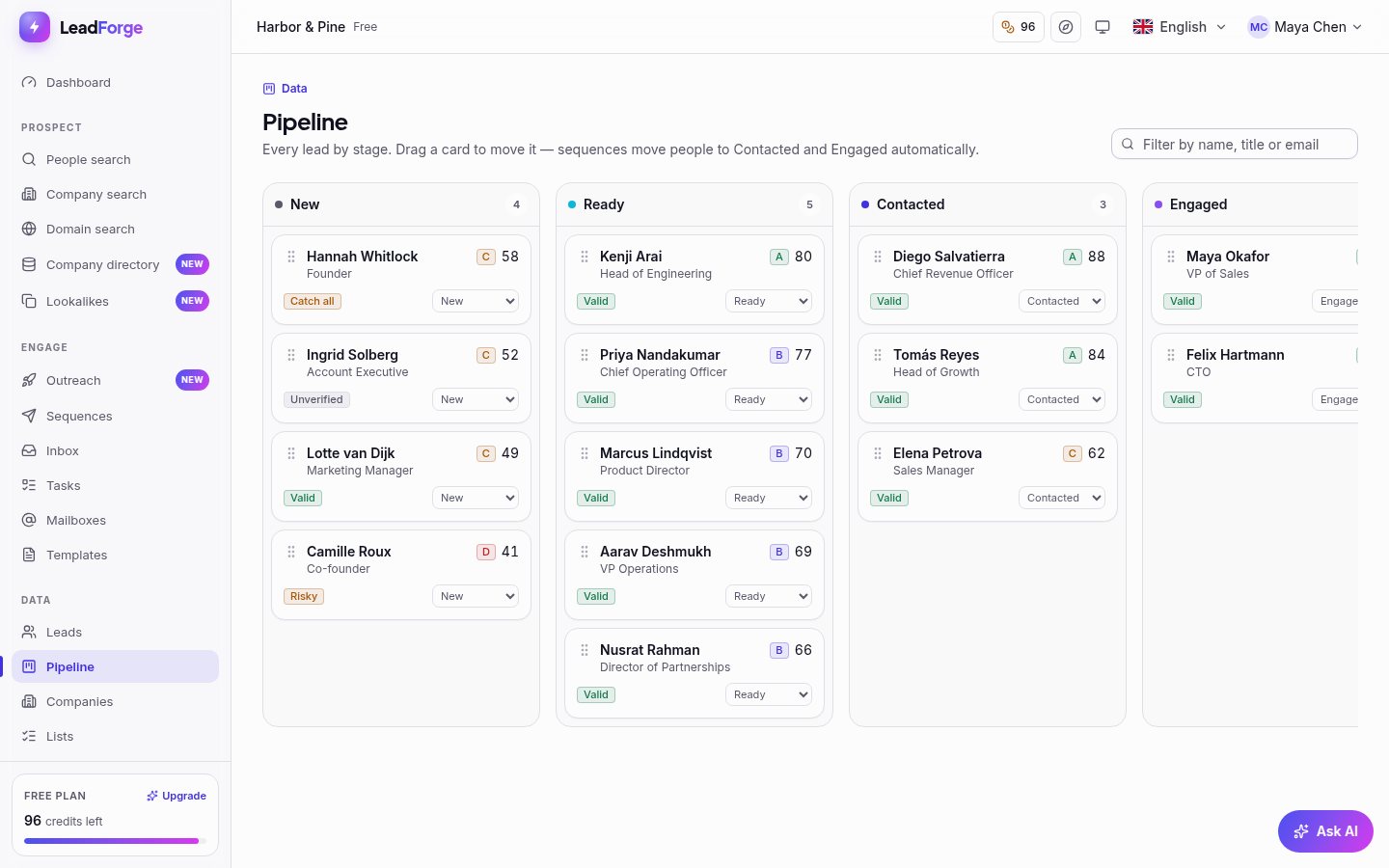
The board shows your people by status. Drag a card to another column to change the status.
Export
- Exporting leads costs 1 credit per row you receive, charged before the download starts. People who opted out are removed first, so you never pay for them.
- By default only contactable addresses are included (valid, catch-all, role-based). Untick Contactable only to include all.
- Do-not-contact people and anyone who opted out platform-wide are never exported.
- Up to 10,000 rows per file, within your plan's monthly export allowance.