What the directory is
The directory is a shared, continuously updated Common Database in the platform control plane with two tabs: Companies and Common DB Leads (People). Every company profile and verified contact discovered across website crawls, enrichments, email verifications and identified visitor sessions is deduplicated and kept fresh in this central pool.
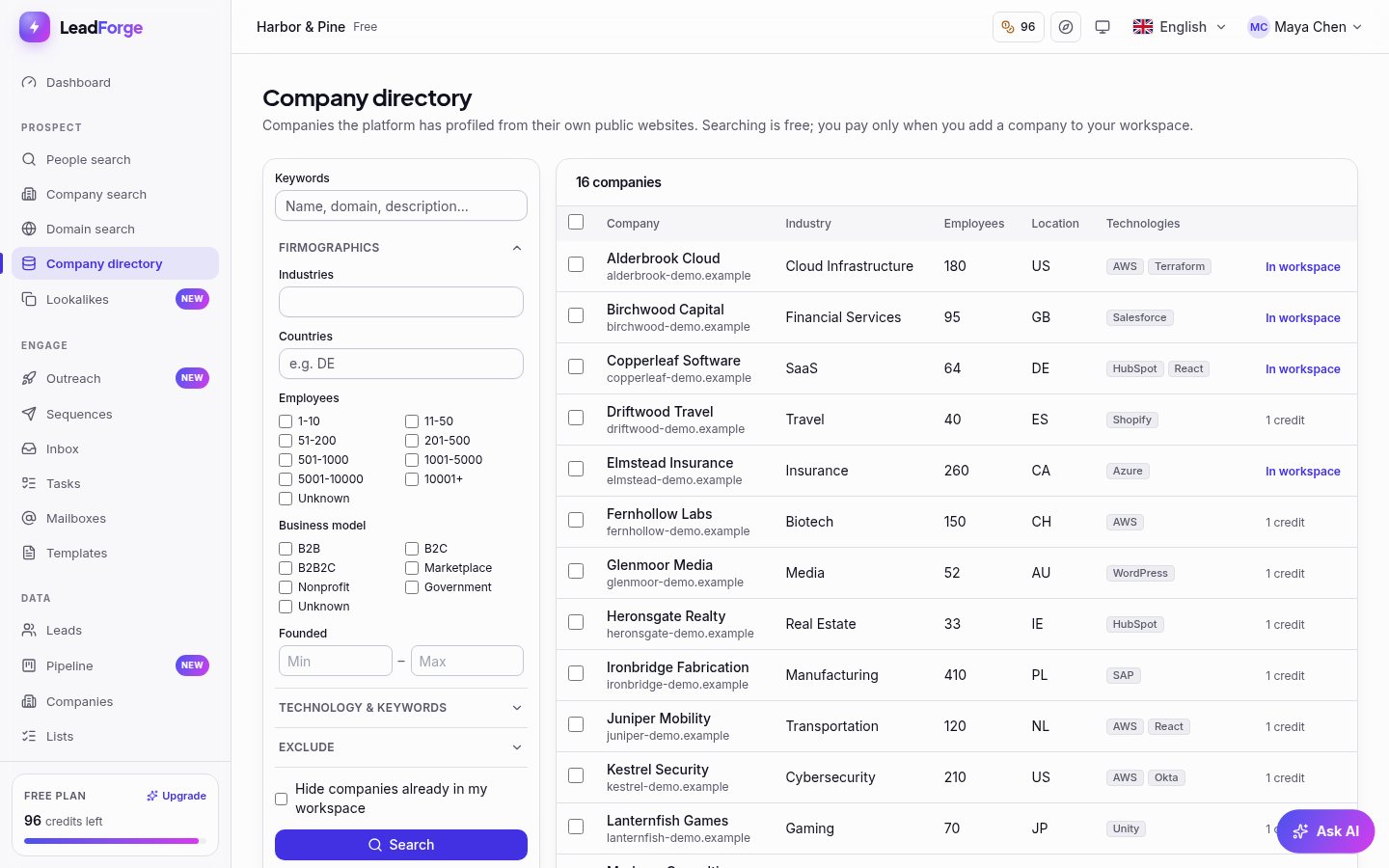
Search companies and leads
- In the Companies tab, filter by keyword, industry, country (two-letter codes such as US or DE), employee band, business model, technologies and founding year.
- In the Common DB Leads tab, filter by person name, job title, seniority, department, country, email verification status (valid, catch_all, role_based), company domain or industry.
- Technologies and keywords ignore case, so react finds React.
- Tick Hide companies or leads already in my workspace to see only net-new prospects.
Reveal and add to your workspace
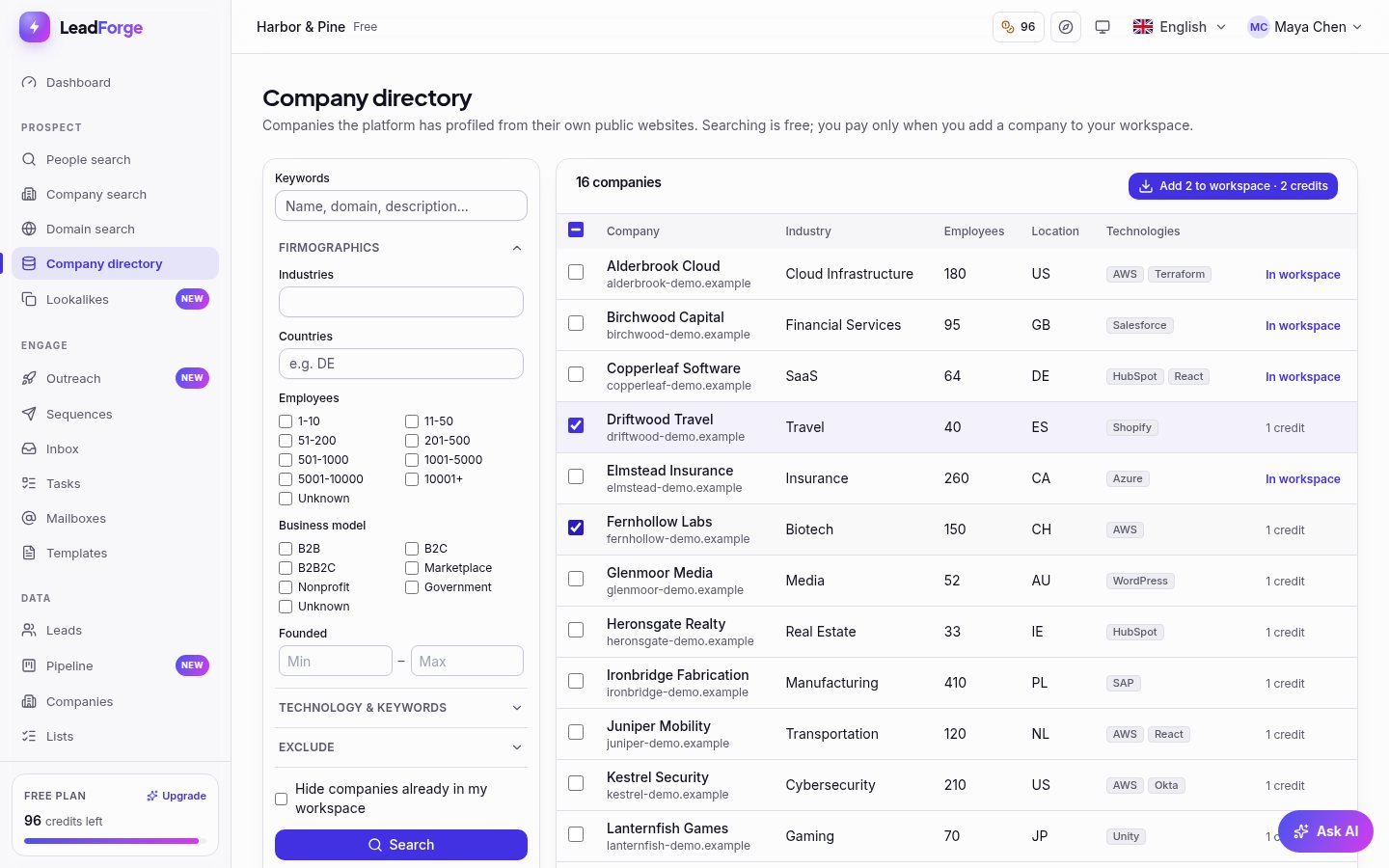
- 1Tick the companies or leads you want from the directory results.
- 2Click Add to workspace (or Reveal lead). The button shows how many records are new and the exact credit cost.
- 3Added companies appear in Companies and revealed leads appear in Leads (and can be saved straight into one of your Lists).
| Situation | Cost |
|---|---|
| A new company or lead revealed into your workspace | 1 credit |
| A company or lead your workspace already holds | Free |
| A record that was suppressed, opted out or unavailable | Free (not added) |
| Not enough credits for the batch | Nothing is added or charged |
If a person or company asks to be removed
Any person or company can request erasure or opt-out. We remove the profile from the Common Directory and add a platform-wide suppression hash so it is never re-collected or contacted.